
Draw the play once.Every player sees their job.
Football playbook software, piloted with Wesleyan Football's coaches and players in spring 2026. The film shows how they used it.
The workspace
One playbook for the whole team.
Coaches draw the plays and send installs. Each player opens them in a browser and sees their own assignment.Coaches draw plays, see them in each formation and build installs in one place. Players open their installs in a browser and see their own assignment on every play, and the staff can see who has opened them.
[01] Coach's workspace
Doubles RtClick a player to see their job
[02] Player's view
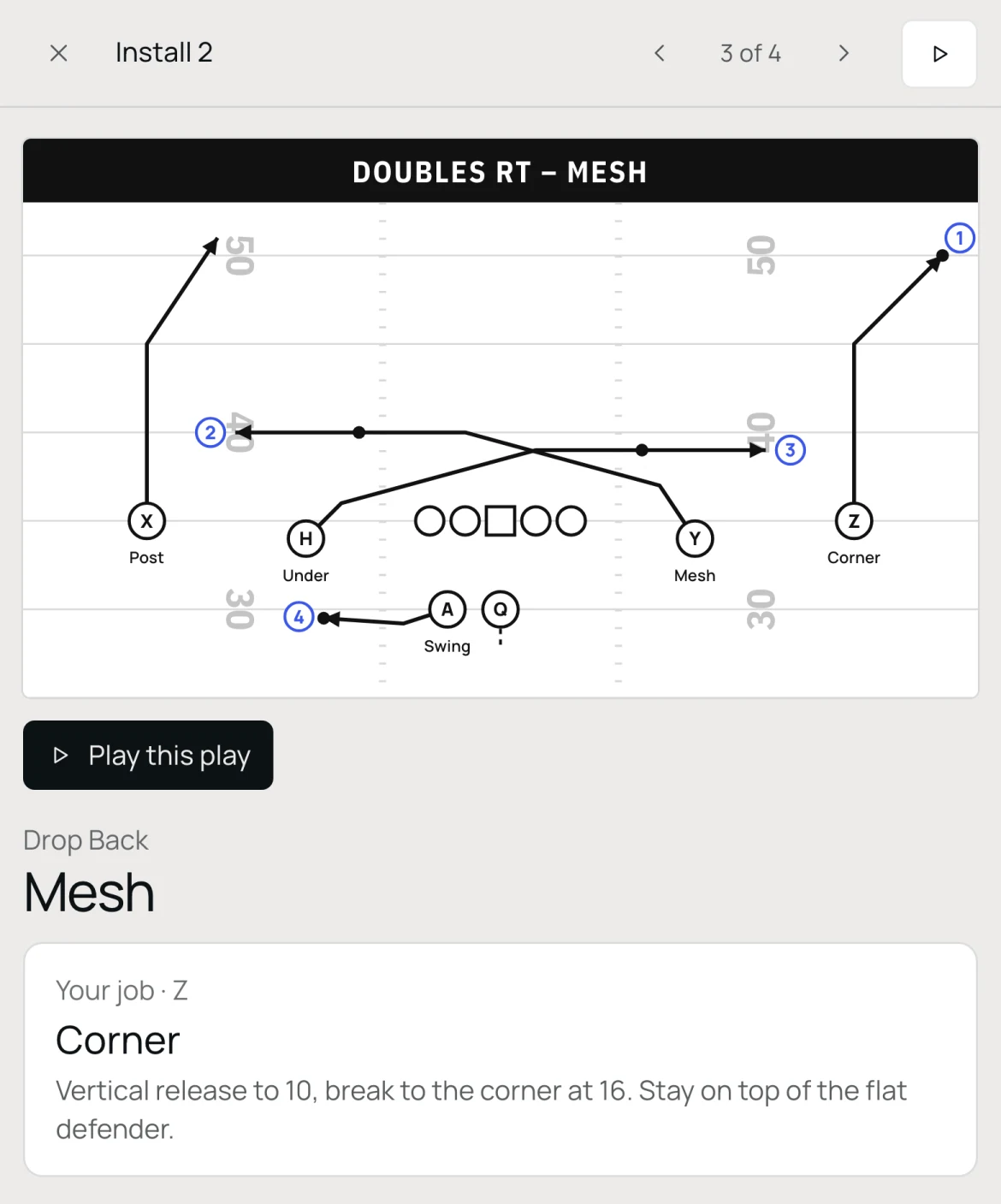
Mesh
Your job · ZRead 1
Corner
Vertical release to 10, break to the corner at 16. Stay on top of the flat defender.
The playbook
Offense, defense and special teams.
LockerRoom works with your team's formations, position names, play names and calls.
Plays, reads and blocking
Draw a play once and see it from every formation you use, with the line's blocks against each front.Draw a play once and view it from each formation you use. LockerRoom flags anything that needs a coach's decision, and you can set the line's blocks against specific fronts.

Fronts, coverages and pressures
Each defender's alignment, key and run and pass job, against the formations you'll face.Each defender's technique is on the drawing, with the alignment, key, run and pass responsibilities beside it. Every call is placed against the formations you'll face.

Units and lineups
Kickoff, return, punt and field goal units, with a starter and backups in every role.Set up your kickoff, return, punt and field goal units, with a starter and backups in each role. When you send an install, each player's role comes from the lineup.

How it works
From your staff to your players.How an install gets from your staff to your players.
Build
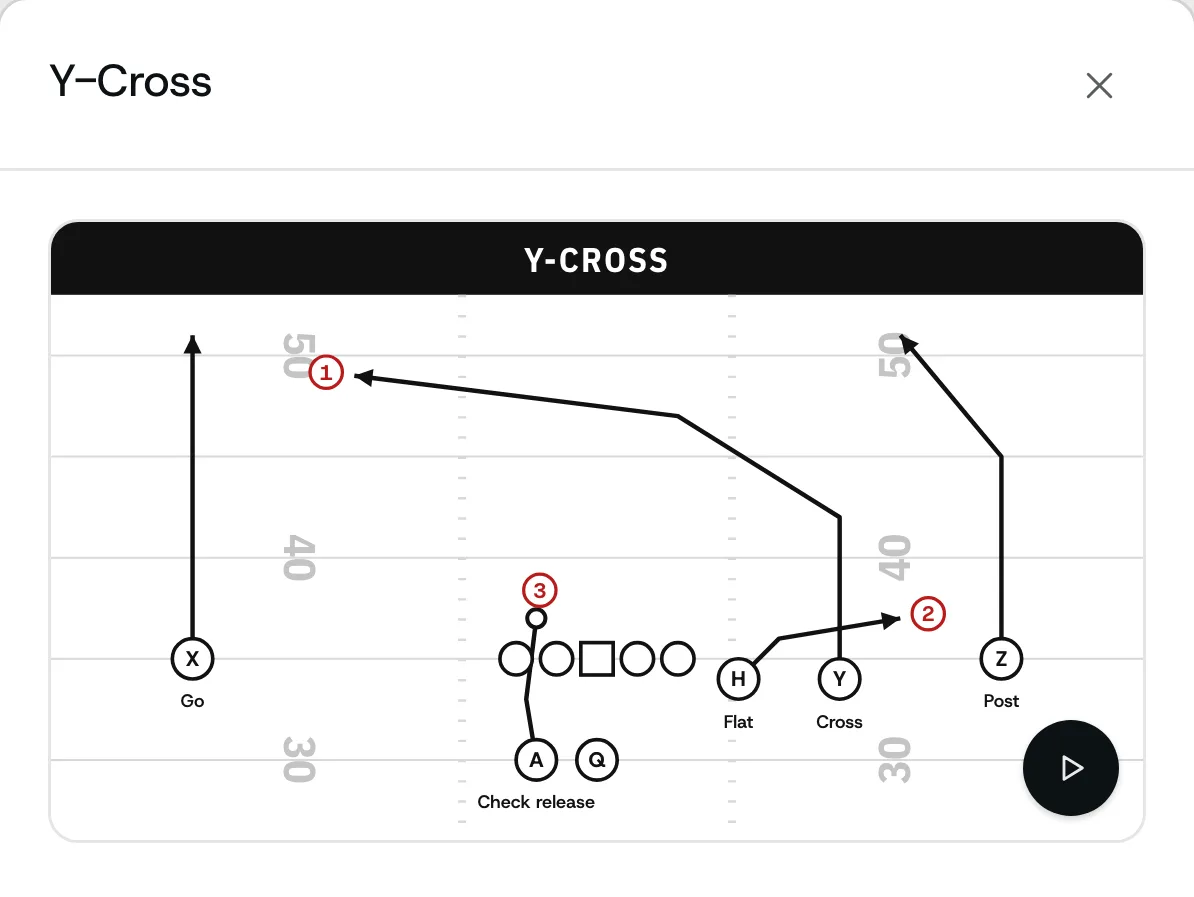
[01]Build your playbook
Start from a Library of over 150 plays and formations, draw your own, or upload last year's playbook.Start from LockerRoom's Library of over 150 formations, plays, fronts, coverages and special teams packages. Or draw your own, type an offensive call, or upload last year's PDF or PowerPoint and check each play it draws.
Send
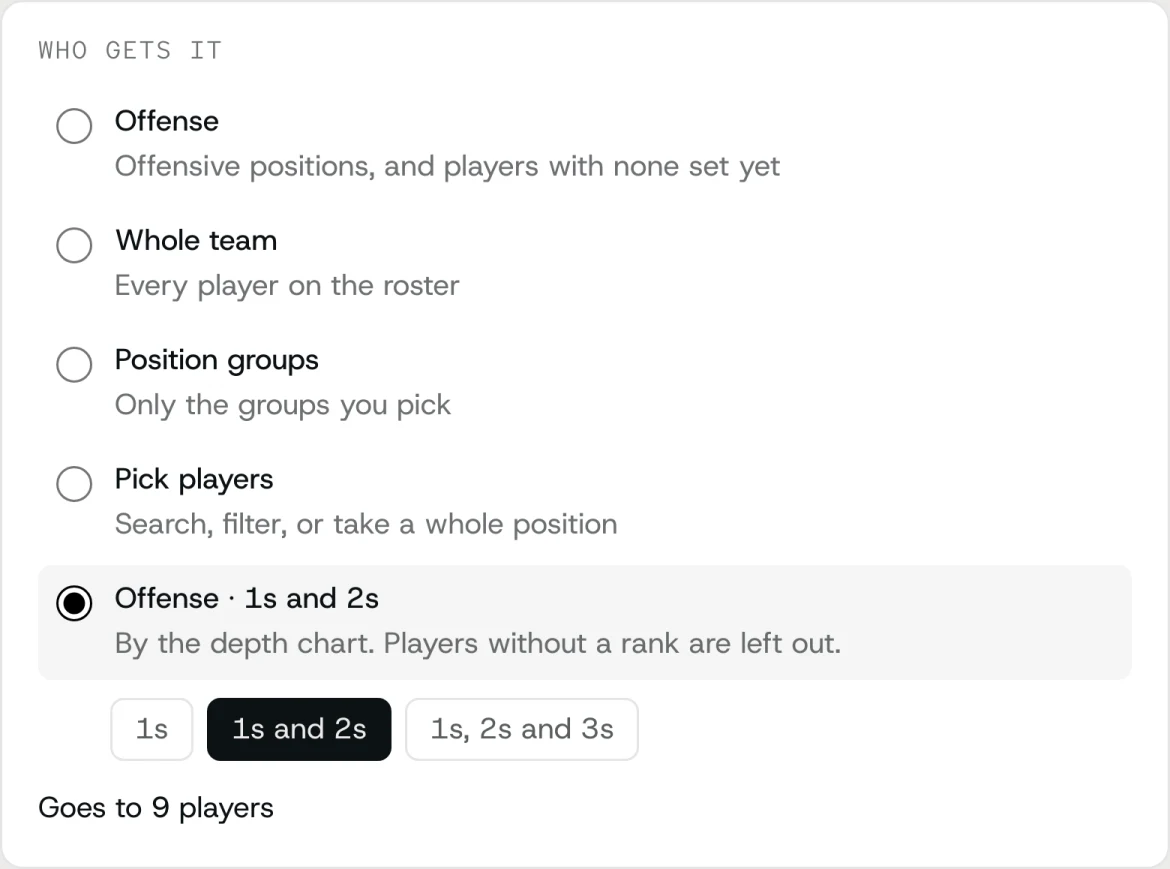
[02]Choose who gets it
The whole team, a position group, or the 1s and 2s from your depth chart.Send it to the whole team, a position group, the 1s and 2s from your depth chart, a special teams unit or a list you've saved, and add or remove players by name. The depth chart can go to players too.
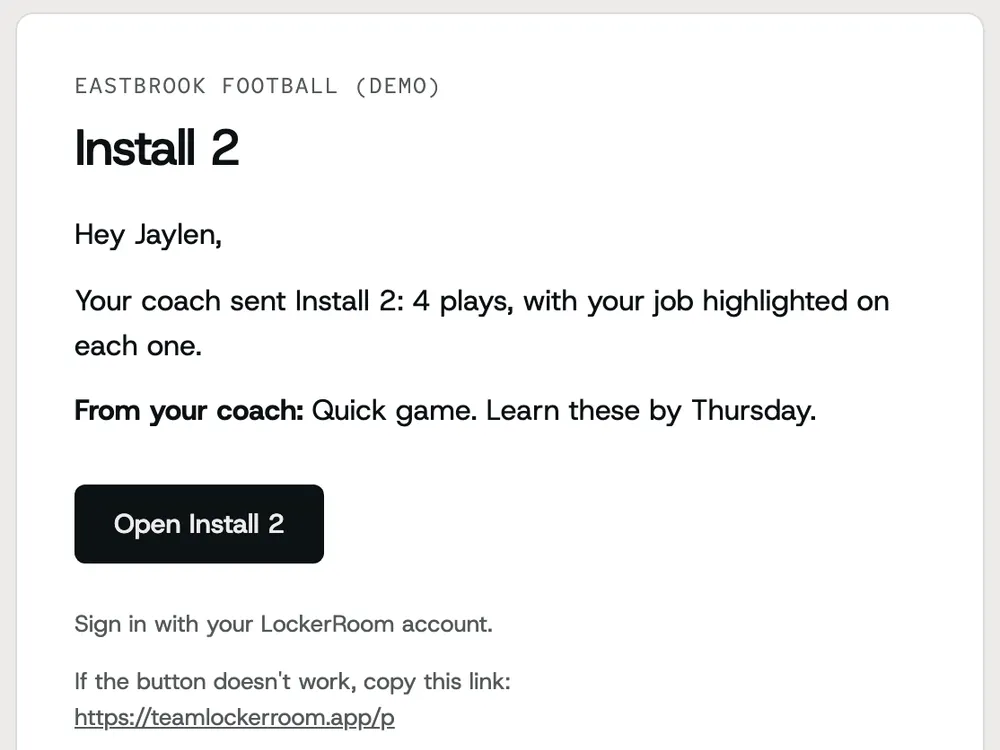
[03]Send the install
Each player gets an email with a link. It opens in a browser, with nothing to download.Each player gets an email with a link to the install. It opens in a browser on a laptop or phone, with nothing to download. Before you send, you can preview exactly what any player will see.
Study
[04]Players study it
Players see their own job beside the full play, and can watch it run.Players see their own assignment next to the full drawing of each play and can watch any play run, or the whole install like a movie. They can also look through the plays you open to them.
Follow up
[05]Keep track
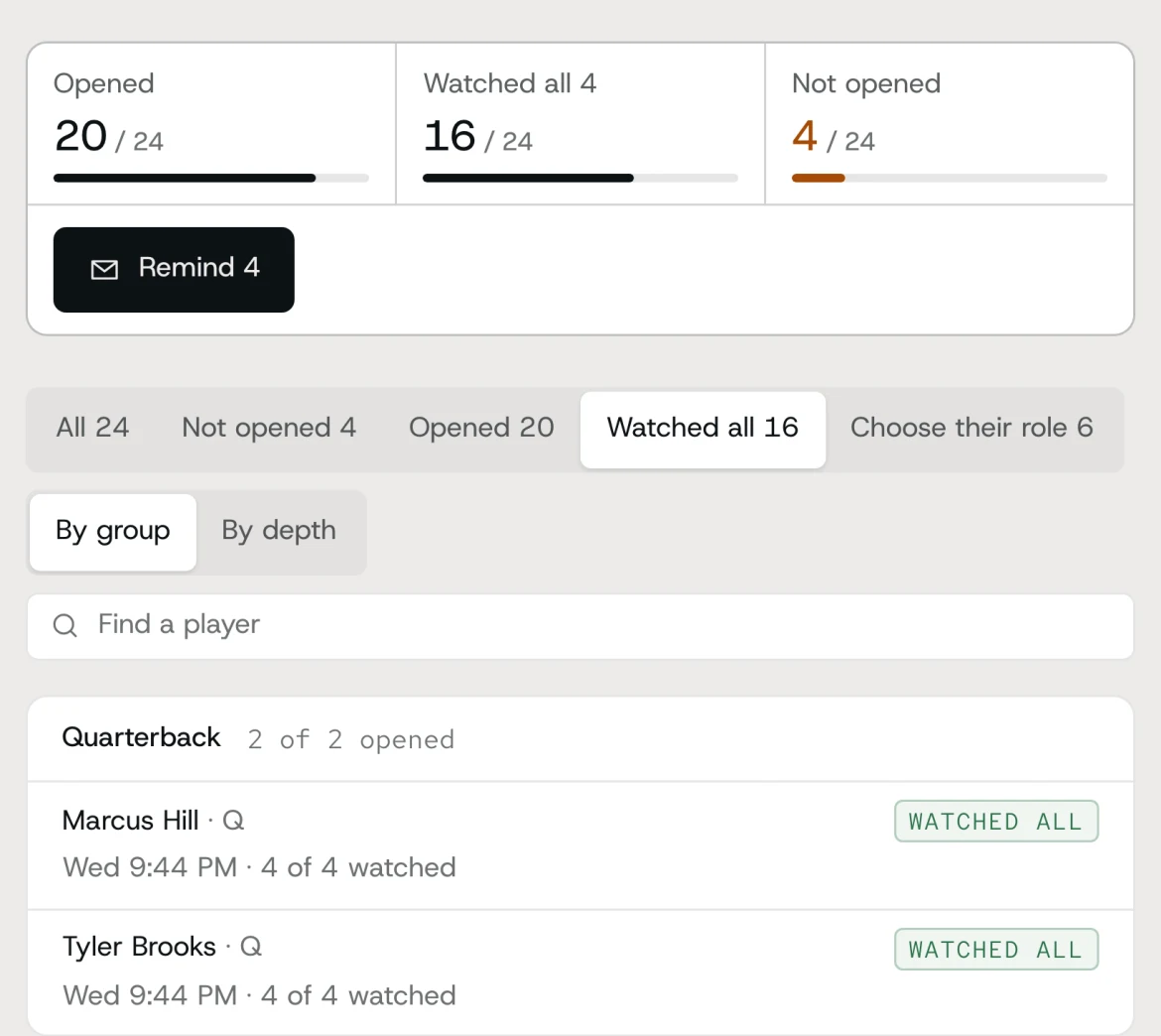
See who has opened the install and watched every play, and remind the rest.The report shows who opened the install and who watched every play, by position group or depth, and lets you remind the rest. If a play changes, a correction tells players what's different.


From our spring 2026 pilot
“We put all our information there, from meetings to playbooks to everything we’re doing, and it’s been really, really efficient for us.”

Dan DiCenzoHead Coach, Wesleyan Football
“My favorite part is definitely the playbook… for the guys to be able to see themselves move with the playbook feature, it’s been something that’s really helped our guys and helped me as a defensive coordinator.”

Adam ChicoineDefensive Coordinator, Wesleyan Football
Pricing
Priced per team, by the year.
Every plan includes all of LockerRoom, and we set up your team with you.
Program
$599
a year, per team
- Playbook, installs, roster and depth chart
- Offense, defense and special teams
- LockerRoom's Library, or bring in your playbook with AI
- Your whole coaching staff
- Every player on a laptop or phone, no app
- Guided setup with our team
Full Program
$1,499
a year, every team in your program
- Everything in Program
- Every team in your program
- Priority setup and support
Athletic Department
Custom
annual contract
- Every program in the department
- One contract for the department
Questions
Common questions
[+][−]Do players need to download an app?
No. Players get a link by email and open their installs in a browser, on a laptop or a phone, and can add LockerRoom to their home screen. They make an account once, when they join the team.
[+][−]How do we get started?
Tell us about your team and we'll set it up with you, including your roster, your playbook and your first install. We agree on a plan and on dates that fit your season.
[+][−]Can I import my existing playbook?
Yes. Upload last year's install as a PDF or PowerPoint. LockerRoom finds the plays, draws each one so you can edit it, and asks about anything it couldn't read. You check every play before it goes in your book.
[+][−]Can we use our own terminology?
Yes. Plays use your own formations, position names, play names and calls. It covers offense, defense (with each defender's technique and key) and special teams, organized by unit with your lineups.
[+][−]What if I change a play after sending it?
A sent install stays as it was sent, so players are never studying a version that changed without them knowing. Fix the play in your book and send a correction: players get the new version with a note on what changed, and the earlier one stays on record. A special teams lineup change goes out the same way.
[+][−]Who can see our playbook?
Only your team. You decide which plays players can browse on their own, by side of the ball or by section, and they always have the installs you send them. Plays you're still working on stay drafts until you publish them. A player you remove loses access.
[+][−]Can my whole staff use it?
Yes. The head coach invites the assistant coaches, and you choose who can send installs to players on offense, defense and special teams. Any coach can preview exactly what a player will see, and nothing is recorded.
[+][−]How long does setup take?
Most of the time goes into your playbook. Start from LockerRoom's Library or a whole system, or upload last year's install and check the plays as they come back drawn. We set up your roster and first install with you.
[+][−]How much does LockerRoom cost?
Program is $599 a year per team. Full Program is $1,499 a year and covers every team in your program. Athletic departments are by annual contract. Every plan includes the whole product.
Get your team set up.
Tell us about your program and we'll set up your playbook, roster and first install with you.